Reviewed by the Austin Estate Gate team · Owner-led, 17+ years · Updated August 2026
To reset an automatic gate, turn off the breaker that powers the gate operator, wait a full 60 seconds, and turn it back on. If the gate is still dead, use the manual release key on the operator to disengage the motor and push the gate open by hand. Both take less than five minutes, and neither needs tools.
Those are the two phone calls we get most after a storm rolls through Austin or a summer heat spell settles in. This guide walks through both procedures step by step, explains why a reset sometimes refuses to take, and tells you honestly when to put the flashlight down and call a technician instead.
How do you reset an automatic gate?
Resetting an automatic gate means power-cycling the operator: cut power at the breaker, leave it off for 60 seconds, and restore it. The control board fully powers down, clears its fault state, and reboots. In our experience this one procedure resolves most of the dead-gate calls that come in after a power outage.
The reset, step by step
- Find the breaker that feeds the gate operator in your electrical panel.
- Flip the breaker off.
- Disconnect the operator's backup battery if it has one.
- Wait a full 60 seconds.
- Reconnect the battery and flip the breaker back on.
- Give the control board 30 seconds to boot.
- Press the remote once and watch the gate run a full cycle.
On most properties the gate breaker lives in the main panel, labeled gate or gate operator. On long Hill Country driveways it sometimes sits in a sub-panel in the garage instead, and some installs add a small disconnect switch on a post near the operator. If a previous owner never labeled it, this outage is your reason to fix that. And if you find the breaker already tripped, reset it once. If it trips again, leave it off and call, because a breaker that won't hold means a wiring fault, not a gate quirk.
The 60 seconds matter. Capacitors on the control board hold a charge after the power drops, so a quick flip of the breaker often does not reset anything at all. The board needs the full minute to drain and truly power down.
The backup battery matters for the same reason. If your operator has one, it keeps the board alive through the entire breaker flip, and the board never actually restarts. The battery sits inside the operator housing on most residential systems. Kill the breaker first, open the cover, and unplug the battery connector for the same 60 seconds.
Two reassurances while you are out there. A power-cycle does not erase your remotes or keypad codes; those live in permanent memory on the receiver. And some operators carry a small reset button on the control board itself, but the breaker method does the same job without poking around live electronics.
How do you open an electric gate manually?
Every automatic gate operator has a manual release that disengages the motor so the gate can move freely by hand. On most residential gates it is a small keyed lock on the operator housing or a pull lever on the drive arm. Disengage it and the gate pushes open at a walking pace.
This is the procedure that matters when your car is on the wrong side of a dead gate. The release works no matter what caused the failure: an outage, a fried board, or a motor that finally quit. It gets the driveway open first, and the diagnosis can happen after.
The release key came with the operator on the day it was installed. It is usually a small, oddly shaped key, and in most houses it lives on a hook in the garage or in the kitchen junk drawer. Find it now, before you need it in the dark. If it is long gone, a gate technician can open the operator and get the gate moving the same day.
The manual release, step by step
- Turn the gate's breaker off so the motor cannot start while you work.
- Find the manual release: a keyed lock on the operator housing or a lever on the drive arm.
- Insert the release key and turn it until the drive disengages, or pull the lever fully to its release position.
- Push the gate open by hand, slowly, with both hands on the gate frame.
- Latch or prop the gate so it cannot swing or roll back across the driveway.
Stand clear of a sliding gate's chain. The chain and sprocket hold tension, and a released slide gate can roll on its own if the driveway has any slope. Keep your hands on the gate frame, never the chain or the track, and keep children and pets inside until the gate is secured. A driveway gate weighs several hundred pounds.
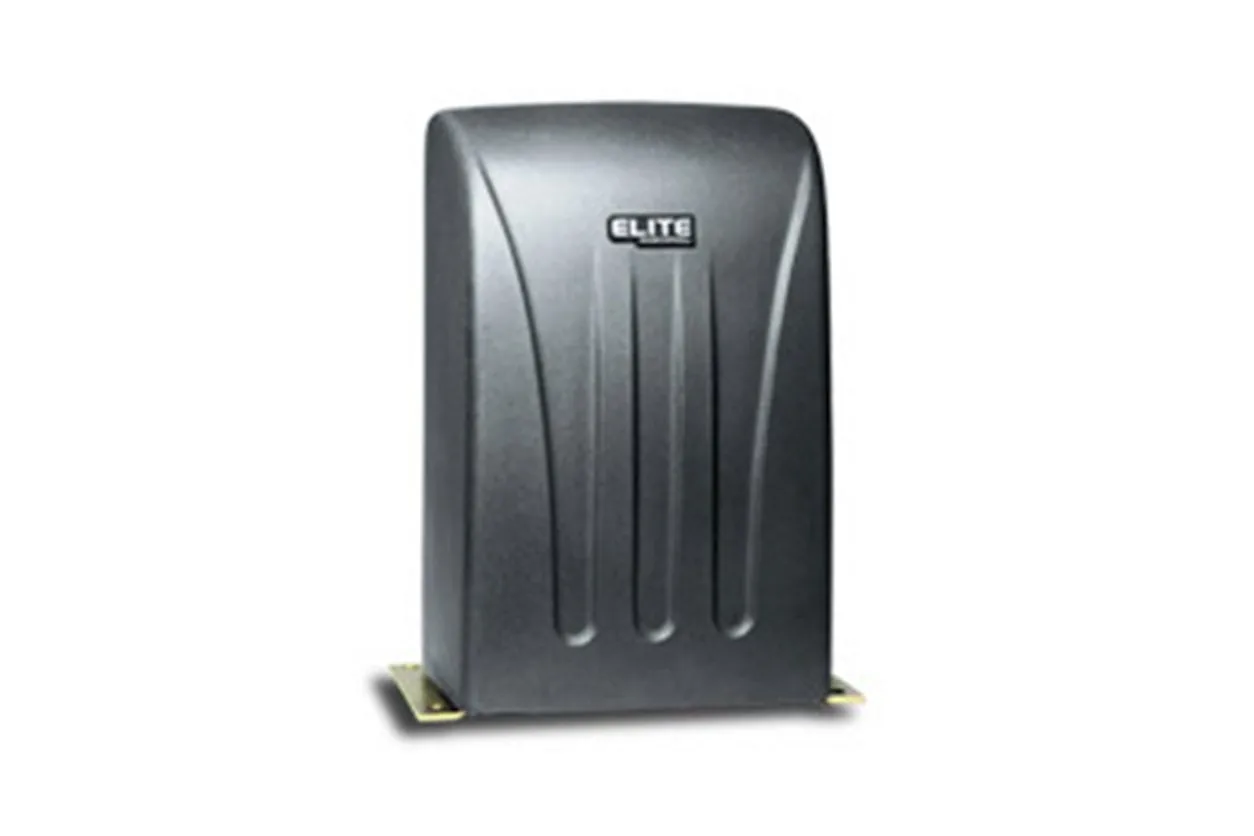
Swing gates and slide gates release differently. A swing gate with an above-ground arm usually releases at the arm itself, and the gate then swings like a normal door. A slide gate releases at the operator, and the gate rolls along its track by hand. The exact release design varies by brand, and Mighty Mule, LiftMaster, and Elite each put it somewhere different. When the steps here and your operator disagree, the operator wins: every major brand publishes its manuals free online, so search your model number, printed on the sticker on the operator case, and follow the manufacturer's sheet for your exact release.
How do you put the gate back on automatic?
Reverse the release. Turn the key back to its locked position, or push the lever home until you feel the drive re-engage, then restore power at the breaker and run one full open-and-close cycle from the remote while you watch. The gate should move smoothly, with no grinding and no hesitation.
Slide gates sometimes need to travel a few inches before the drive clicks back in, so do not worry if the first second of movement feels loose. If the motor runs but the gate stays put, the release never re-engaged. Stop, disengage, and seat it again. Watch the full cycle before you walk away, because a gate that stalls halfway is telling you something.
Will a gate with a battery backup keep working during an outage?
Yes, for a limited number of open-and-close cycles. A backup battery is built to bridge a short outage, not to power the gate for days. When the battery runs down before the power comes back, the gate stops wherever it is, and the manual release above is still the way through.
Batteries also age quietly. A backup that carried the gate through last spring's storms can be too weak to move it this year, and nothing on the keypad warns you. Have the battery tested whenever a technician is already out at the gate, and replace it on their word rather than waiting for the outage that proves it dead.
Solar-powered gates are their own case, and we see plenty of them on ranch properties out toward Spicewood and Dripping Springs. A solar gate rides out grid outages by design, but a string of overcast days drains it the same way an outage drains a backup battery. The release key is the fallback either way, which is why we tell every customer to find theirs before they need it.
Why won't the gate work after the reset?
The most common reason a reset fails to take, in 17 years of service calls, is surge damage to the control board from the outage itself. Power rarely comes back cleanly, and the spike when the lines re-energize can cook a board that worked fine before the lights went out.
Austin summers are the other board killer we see. Operator housings sit in full sun at the end of the driveway, and weeks of triple-digit afternoons stress the electronics the same way a surge does, just slower. Our reset calls come in two waves every year: after spring storms knock the power out, and deep in the summer heat.
If the reset fails, check these next
- A dead backup battery, which can leave the board lit up but too weak to move the gate
- A tripped GFCI outlet on the gate circuit, separate from the breaker in the panel
- A blown fuse on the control board
- Low-voltage wiring nicked by landscaping work or chewed by rodents
Caught early, most of these are minor repairs. Left alone, they take the operator down with them. As we covered in our guide to the 7 most common automatic gate problems, that is the difference between a $150 repair and a $2,500 operator replacement.
One piece of prevention worth the phone call: if your road loses power more than once or twice a year, ask your gate technician about surge protection on the operator circuit at your next service visit.
How much does it cost to fix a gate that won't reset?
The two procedures on this page cost nothing but your time. On the service side, minor electrical repairs sit near the $150 mark we covered in the gate problems guide above, and a full operator replacement runs $2,500 or more. The gap between those two numbers is the argument for calling early.
What pushes a repair toward the high end is rarely the part itself. It is a board model that has to be ordered for an older operator, a heavy custom gate that needs two techs on site, or damage from forcing a gate that should have been released first. Forcing a damaged gate destroys the operator, and that is the expensive version of every story on this page.
Every visit starts with a free estimate, so you know the number before any work begins.
When should you stop troubleshooting and call a pro?
Stop when the reset and the manual release have not solved it. Those two procedures are the safe end of gate work. Wiring, board diagnosis, and structural repair are not, and guessing at them usually costs more than the service call would have.
Call a technician when
- The reset did not take and the operator is dead at the board
- The breaker trips again as soon as you flip it back on
- The gate moves by hand but the motor never re-engages
- The gate is off its track, sagging on its hinges, or visibly bent
- The gate reverses or cycles on its own with nothing in its path
One honest safety note before the phone number: a gate stuck mid-cycle with a bent arm or a grinding motor is a stop-and-call situation, not a force-it situation. There is nothing on this page that fixes a fried board, and we would rather tell you that here than after you have spent a Saturday on it. Our automatic gate repair techs carry the common boards, batteries, and release hardware, with same-day service across Austin and the Hill Country. For quick answers on costs, timelines, and what a service visit covers, our gate repair FAQ handles the questions we hear most.